Controlling Access to your App
To control access to your app click edit on your app in the Rebuy partner portal
You will see the following options
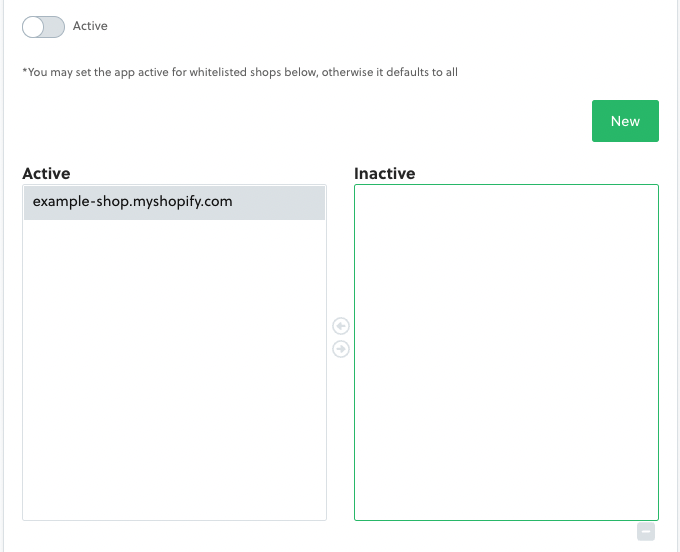
By toggling Active your app will be shown to all Rebuy customers unless you have set specific shops as shown in the example above.
In this case this app will only be shown to Example Shop regardless of whether the global Active toggle was on or not.
To show the app to all shops toggle Active on and remove all shops from the specific shop selector.
--- title: Controlling Access to your App excerpt: '' deprecated: false hidden: true metadata: title: '' description: '' robots: noindex next: description: '' --- To control access to your app click **edit** on your app in the Rebuy partner portal You will see the following options  By toggling **Active** your app will be shown to all Rebuy customers *unless* you have set specific shops as shown in the example above. In this case this app will only be shown to Example Shop regardless of whether the global Active toggle was on or not. To show the app to all shops toggle **Active** on and remove all shops from the specific shop selector.